
Siri
Search cards with Siri
Vault TCG on iPhone supports Siri shortcuts so you can search cards hands-free or look up a specific card without opening the app. Voice search opens Vault TCG; background lookups require sign-in and Vault Pro.
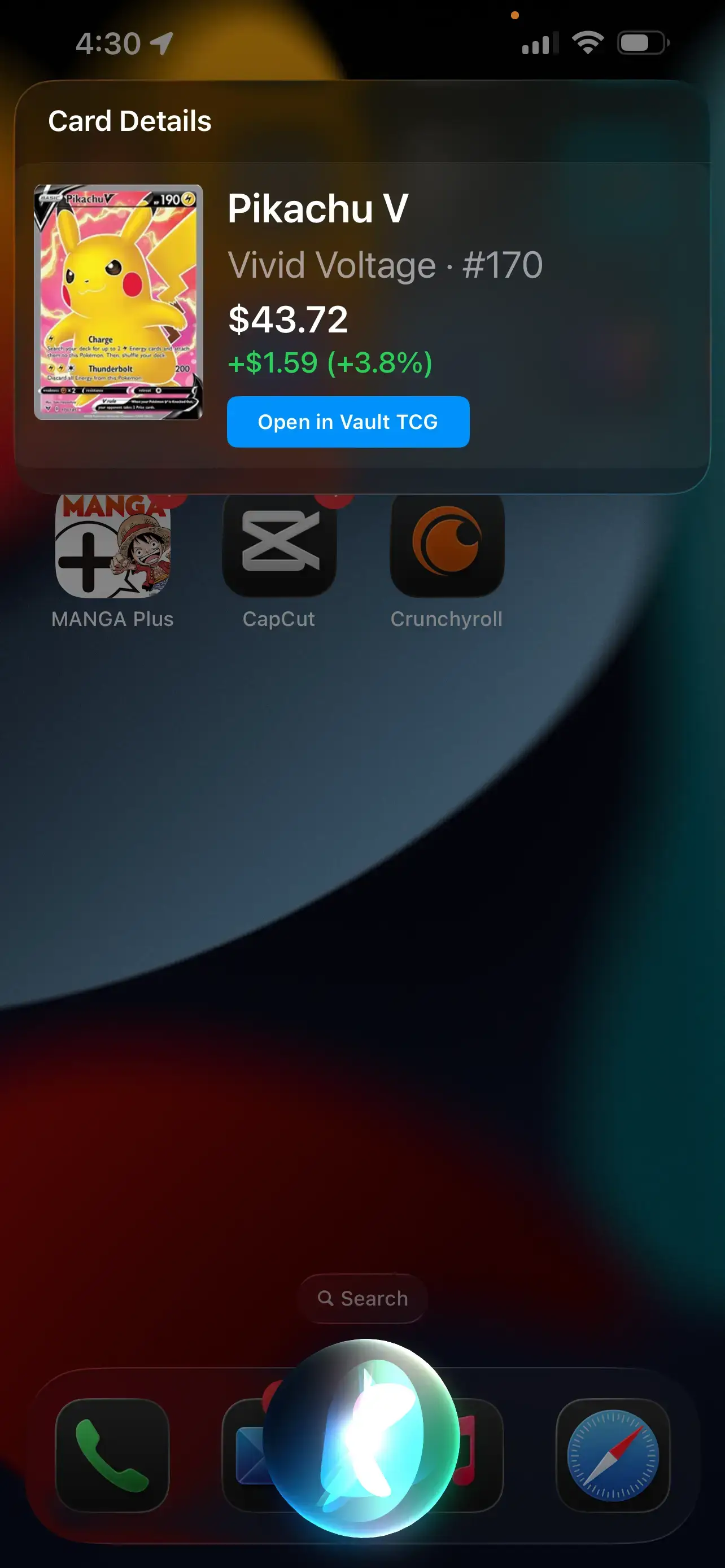
Use Siri shortcuts to search your collection or get a quick card lookup from your lock screen.
What you can do
- Search Cards shortcut opens Vault TCG and runs a card search from your voice.
- Works across supported TCGs — say the card name, set, or game in your phrase.
- Look Up Card answers in Siri with price and details when you are signed in on Vault Pro.
- iOS only — set up shortcuts from the Vault TCG app after install.
How it works
- Ask Siri to search
Try phrases like “Search cards in Vault TCG” or “Find Pikachu in Vault TCG.” Vault opens and runs your search.
- Review results in the app
When signed in, Vault TCG can auto-run the search. Guests still open the app and can sign in to continue.
- Look up a card in the background
With Vault Pro, say the card name, set, and number — for example, Charizard number 4 from Base Set — and Siri shows a snippet without opening Vault TCG.
Set up Siri shortcuts on iOS
Download Vault TCG on the App Store to add Search Cards and Look Up Card shortcuts. Background card lookup in Siri requires sign-in and Vault Pro. The core Vault TCG app is also on Google Play for Android.
Questions? Visit our help center.